
a plan instead of panic
Plan your studying and stick to it
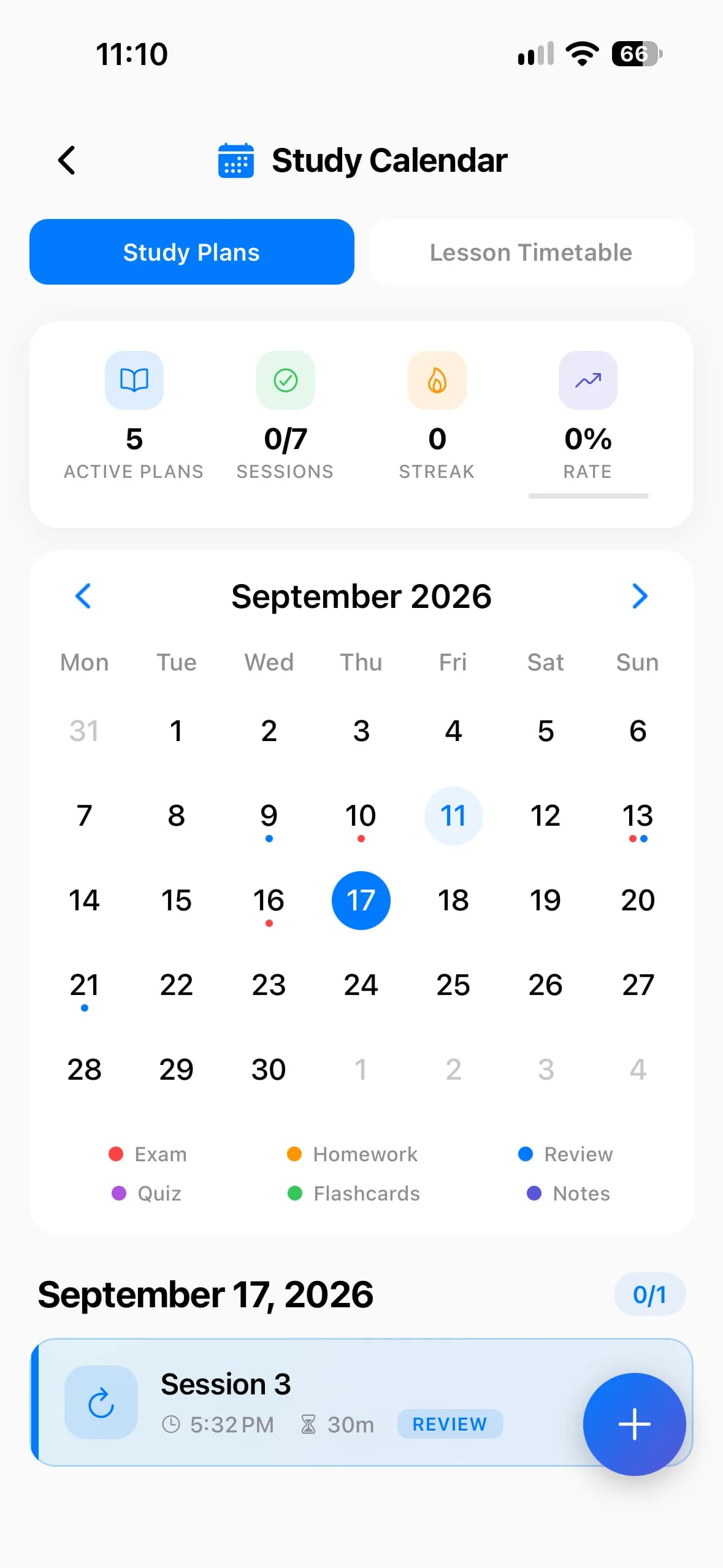
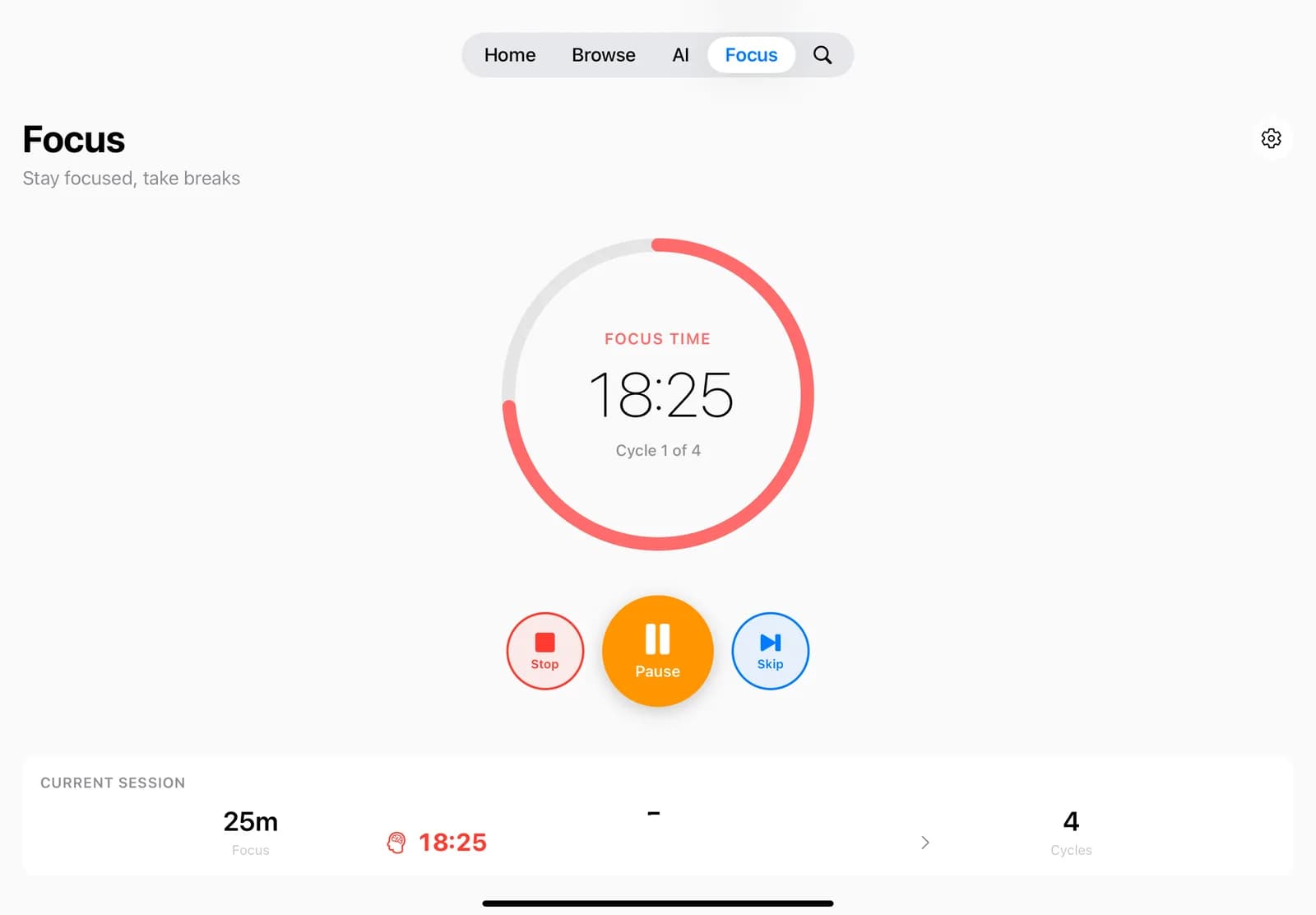
The study calendar shows what to review and when, and the Pomodoro timer makes sure you actually sit down to do it. All in the same app as your notes.
- Study plans and class timetable
- Pomodoro with breaks and cycles
- Streaks and progress stats
How it works
Add a deadline
Put a test, an exam or homework into the study calendar.
Plan your sessions
Spread reviews over the days ahead, so nothing is left for the night before.
Start focusing
The Pomodoro timer counts study time and breaks, and sessions go into your stats.
Why NoteMode
One calendar for everything
Exams, homework, reviews, quizzes and flashcards each get a color, so you see what is coming at a glance.
Your timetable at hand
Next to your study plans there is a separate tab for your class timetable.
A Pomodoro that stays out of the way
A big, readable countdown, study and break cycles, plus pause and skip buttons.
Motivation in numbers
Study streaks, finished sessions and stats show that you are getting better.
Frequently asked questions
You study in short blocks, usually 25 minutes, separated by breaks. After a few cycles you take a longer break. The timer in NoteMode keeps track for you.
Yes. In the study calendar, next to your study plans, there is a timetable tab.
Yes. Add the exam date, spread review sessions over the days ahead and track your progress in the calendar.
Yes. Notes, flashcards and the Pomodoro timer are free. The Premium plan unlocks the AI features.
Keep exploring
All features
Try it free
NoteMode is a free download for iPhone, iPad and Android.